 ClefMastery
Learn to read music with your instrument in your hands
ClefMastery puts a note on the staff and listens while you play it. Practice with quizzes, scales, arpeggios, and pieces you import, in treble, bass, alto, and tenor clef.
 iPhone, iPad, and Mac
 Android phones and tablets
Free for 7 days. After that, one $9.99 purchase unlocks the app for good.
Importing MIDI files is included. Importing PDFs needs a $4.99/month subscription.
How a session goes
Read it, play it, see right away whether you got it
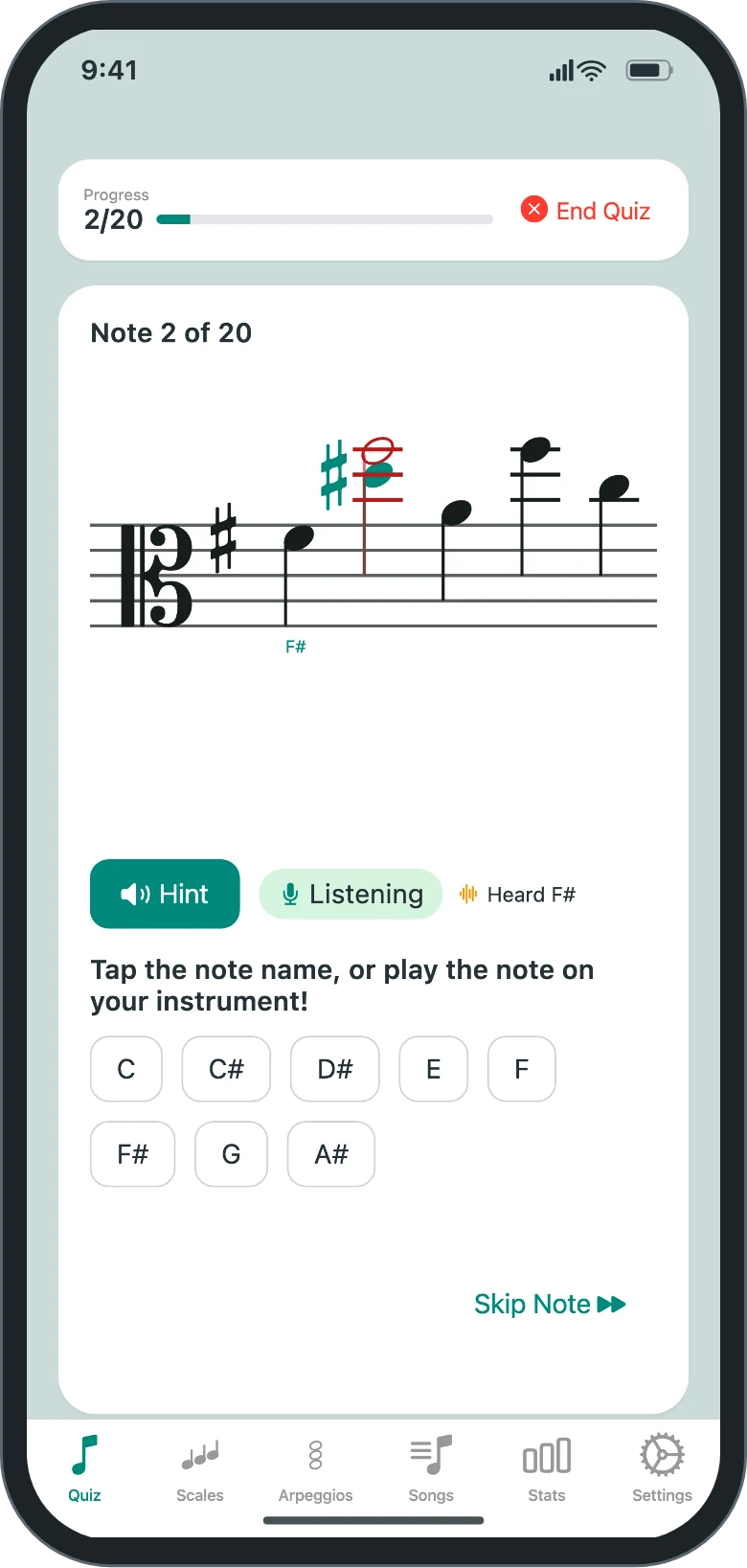
A note appears on the staff
In the clef, key signature, and range you chose for your instrument.
You play it, sing it, or tap its name
The microphone picks up your pitch as you play. If you miss, the app shows the note it heard next to the one it asked for.
The next note is within reach
Quizzes move gradually through your range instead of jumping around it, and they come back more often to the notes you miss.
Songs
Practice the piece on your music stand
Import a MIDI file or a sheet music PDF, then play through it one note at a time at your own pace, or in time with the music.
The page waits for you
- Each note counts once you've held the right pitch for most of its written length. Let go early and the app tells you it was too short.
- Slow the piece down to 25% of its tempo or push it to 150%.
- Rhythms are drawn as written: ties, rests, triplets, beams, and time signature changes.
- On an iPad, a Mac, or an Android tablet, the page shows several lines of music at once.
- At the end you get a score that counts each note as clean, corrected or slow, or missed.
Or play in time
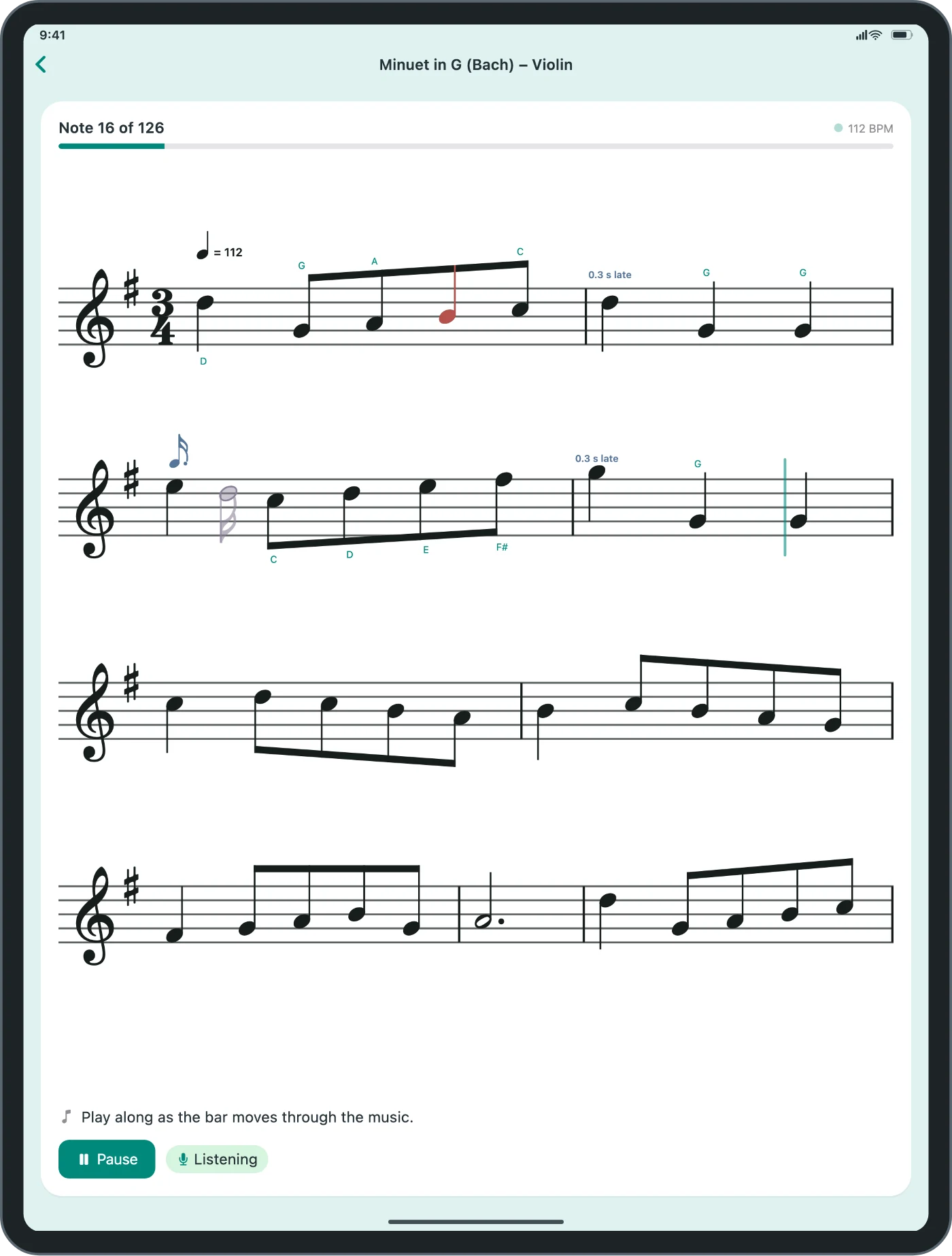
Choose Play in Time instead of Wait for Each Note on the song's page, and the music moves at the tempo you set.
- A countdown shows the beats left until you start, with an optional click. Then a marker moves through the music. Play each note as the marker reaches it.
- Each note is checked for pitch, for when it starts, and for how long you hold it.
- Timing can be Relaxed, Standard, or Strict. Relaxed is the default.
- Before your first run with a microphone, a short calibration measures the delay between the screen, your playing, and the microphone, so the app can allow for it. You can run it again from the song's page.
- Afterwards, Review Your Playing shows the whole piece with what you played marked on it. Recent results stay on the song's page, where you can open their reviews again later.
- If you turn on recordings in Settings, you can listen to a run with its review while a marker moves through the music. Recordings stay on the device you played on.
From a MIDI file or a PDF
- MIDI: choose the part you play. The app reduces it to a single line and shifts it by octaves if that's what it takes to fit your instrument, and tells you what it changed.
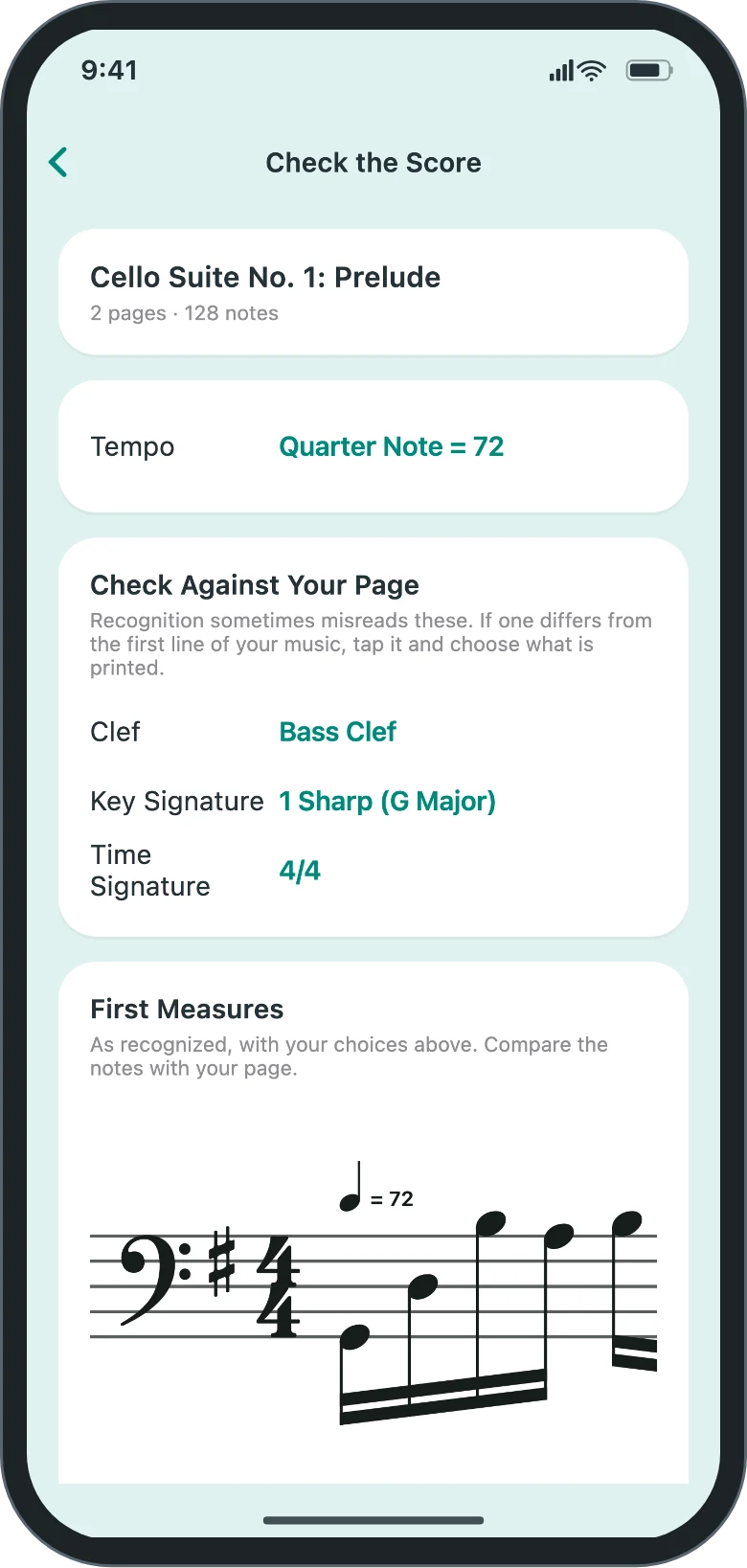
- PDF: the app reads printed sheet music* from a PDF and turns it into notes. Before you play, a preview lets you correct the clef, key signature, and time signature it recognized, and enter the tempo printed on your music, which recognition doesn't read. PDF Import is an add-on subscription.
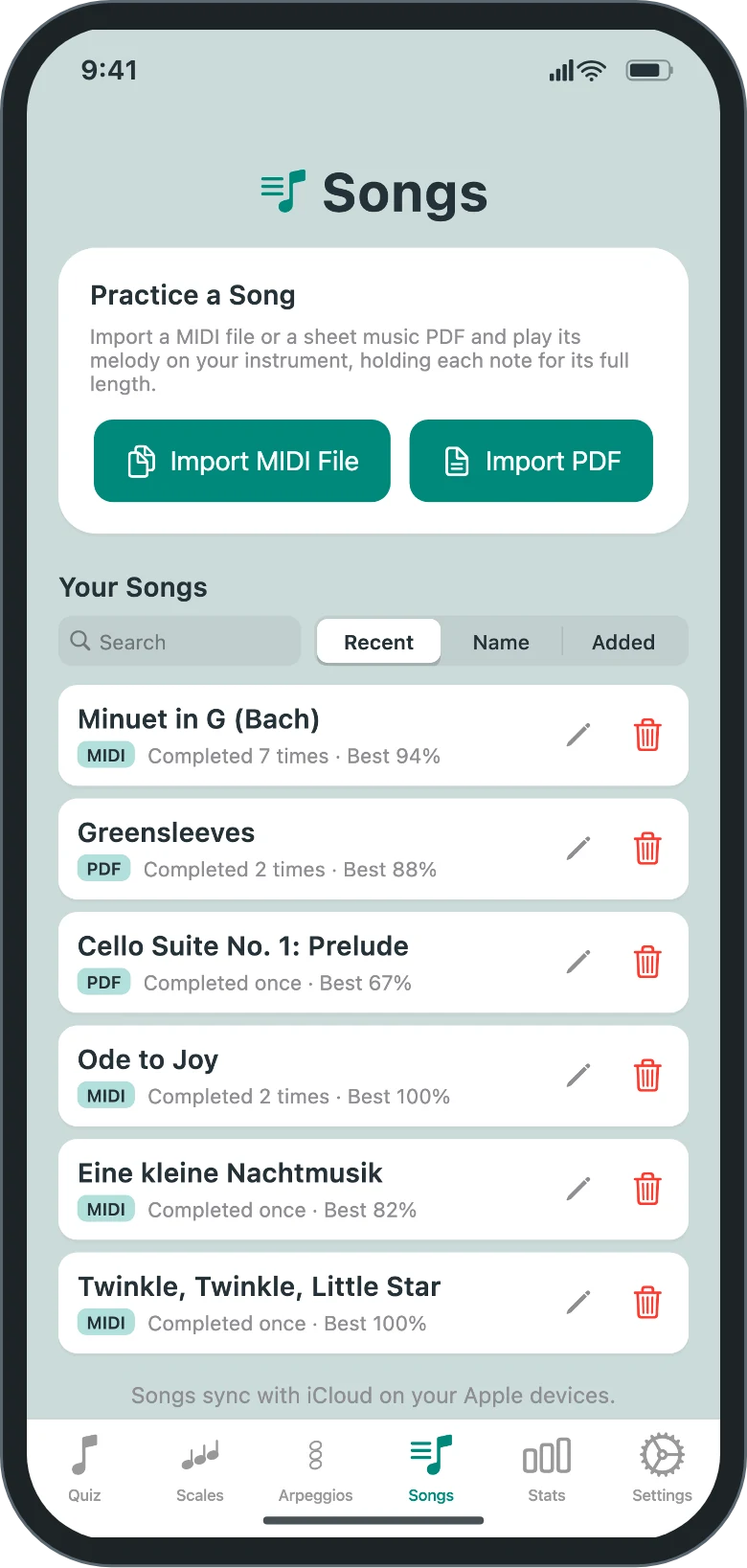
- Imported songs are saved in Your Songs with your results for each one. On iPhone, iPad, and Mac they sync through your iCloud.
* PDF Import reads single notes, not chords, and turns the music into one line to play. Where notes sound together it keeps the top one, and for music on two staves, such as piano, it uses the top staff.
Practice modes
Drills for sight reading
Quiz
Sight-reading drills of whatever length you set. Answer on your instrument, with the note-name buttons, or either one in the same quiz.
- All 15 key signatures, or only the ones you pick, so you learn each note's spelling in its key.
- An audio hint plays the note when you're stuck.
- Set how close to the pitch you have to be and how long a note must sound before it counts. Loosen it while you find your way around a fretless instrument, or tighten it to work on intonation.
Scales and arpeggios
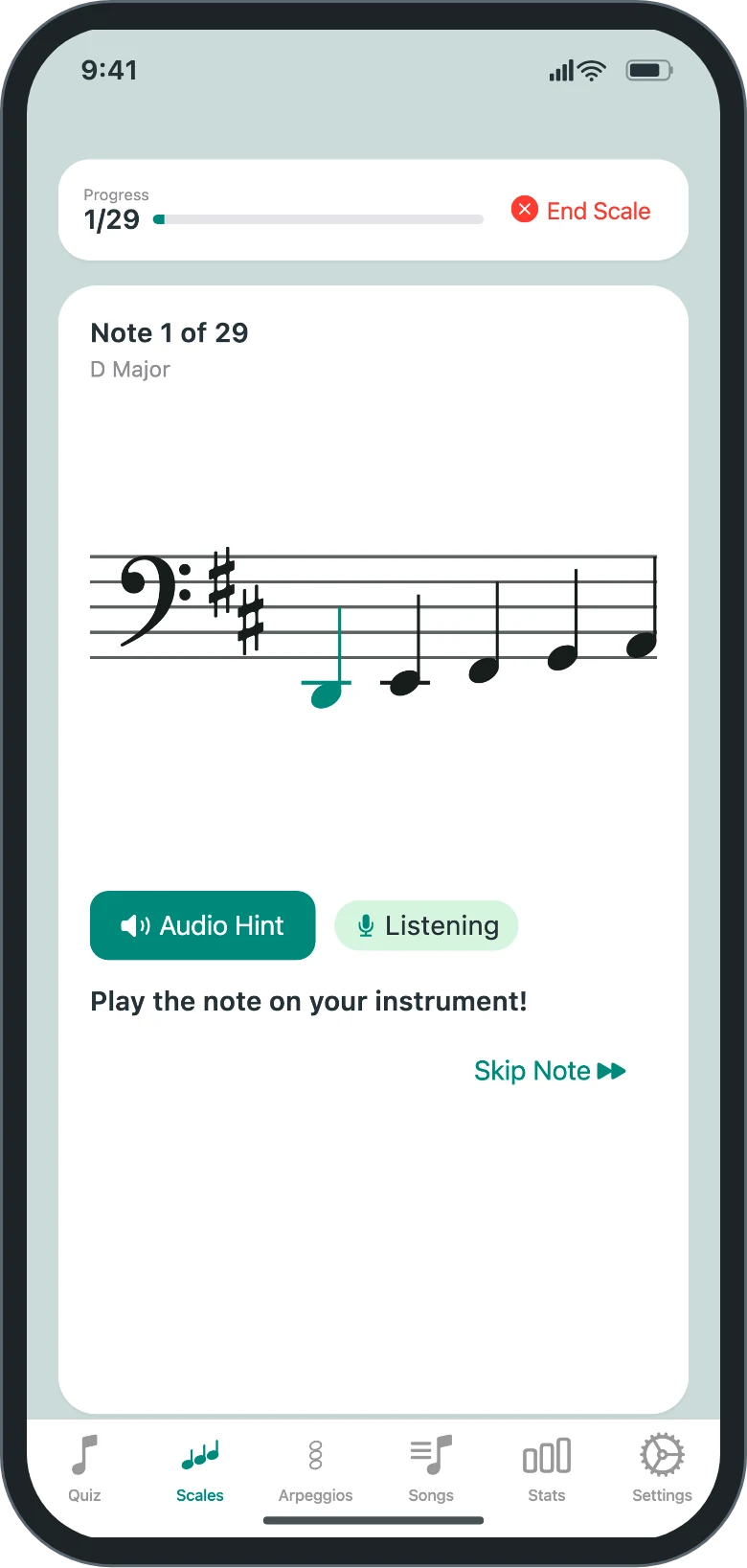
Choose a starting note and the app lays out the scale or arpeggio to fit your instrument. As you play, it follows along one note at a time.
- Scales: major, natural minor, harmonic minor, and melodic minor, ascending, descending, or both, over one or more octaves.
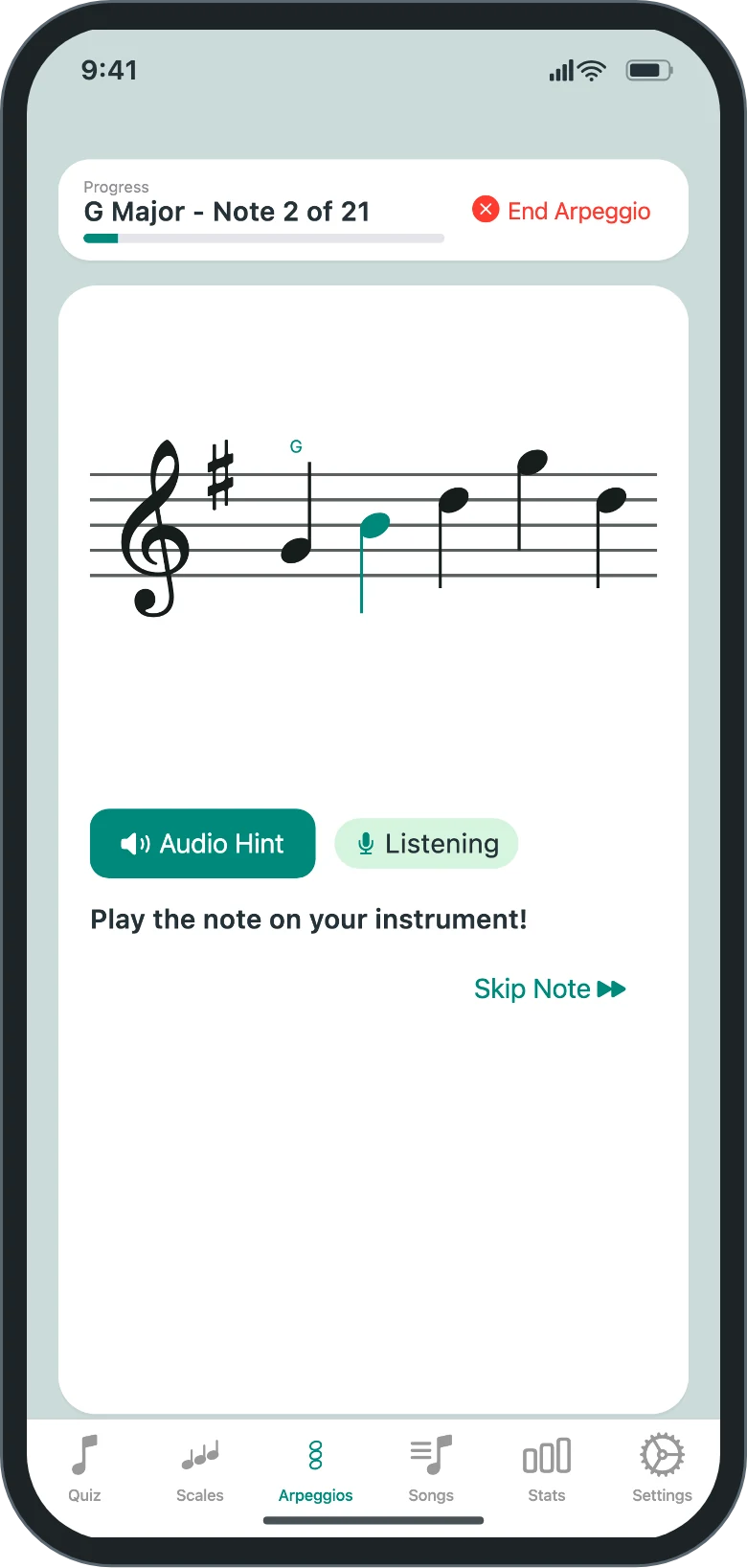
- Arpeggios: build a list of chords (major, minor, diminished, augmented, and sevenths) with the inversion and direction for each.
- Chord labels on the staff show where you are in the list.
You play or sing scales and arpeggios. These modes don't have note buttons.
Clefs and instruments
All four clefs, set up for what you play
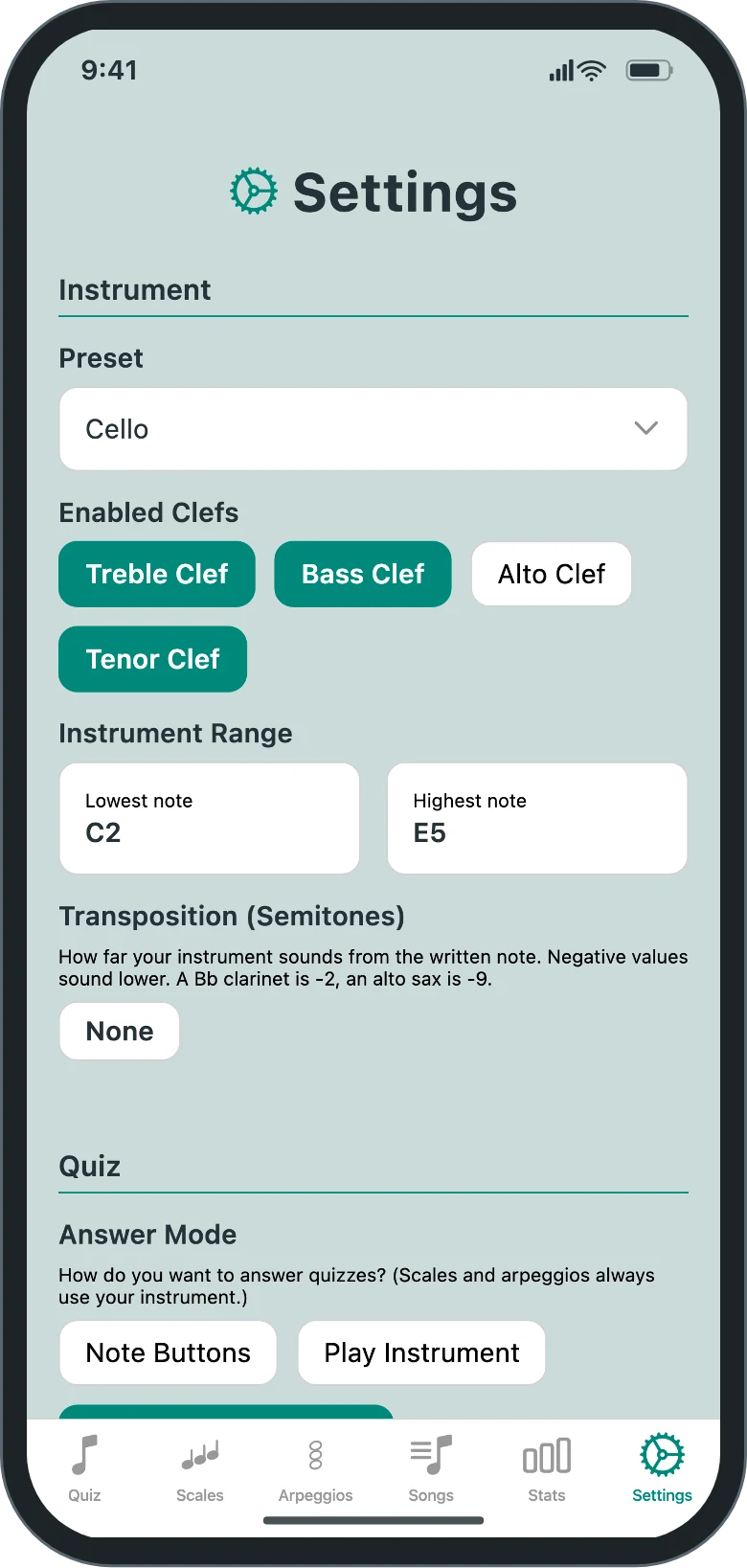
Violists and cellists aren't an afterthought here. Practice one clef on its own, or turn on several and the app changes clef when the notes call for it, the way real parts do.
- Treble
- Bass
- Alto
- Tenor
Choose a preset to set your range, clefs, and transposition. If your instrument isn't listed, set the range and transposition yourself.
- Violin
- Viola
- Cello
- Double bass
- Marimba, xylophone, vibraphone, glockenspiel
- Piano
- Guitar
- Bass guitar, 4 and 5 string
- Flute
- Clarinet in B♭
- Trumpet in B♭
- French horn in F
- Saxophone in E♭
- Trombone
- Voice: soprano, alto, tenor, baritone, bass
USB microphones and audio interfaces work too. On iPhone, iPad, and Mac, pick the input on the Settings tab, under Listening. On Android the app uses the input the system is using.
Progress
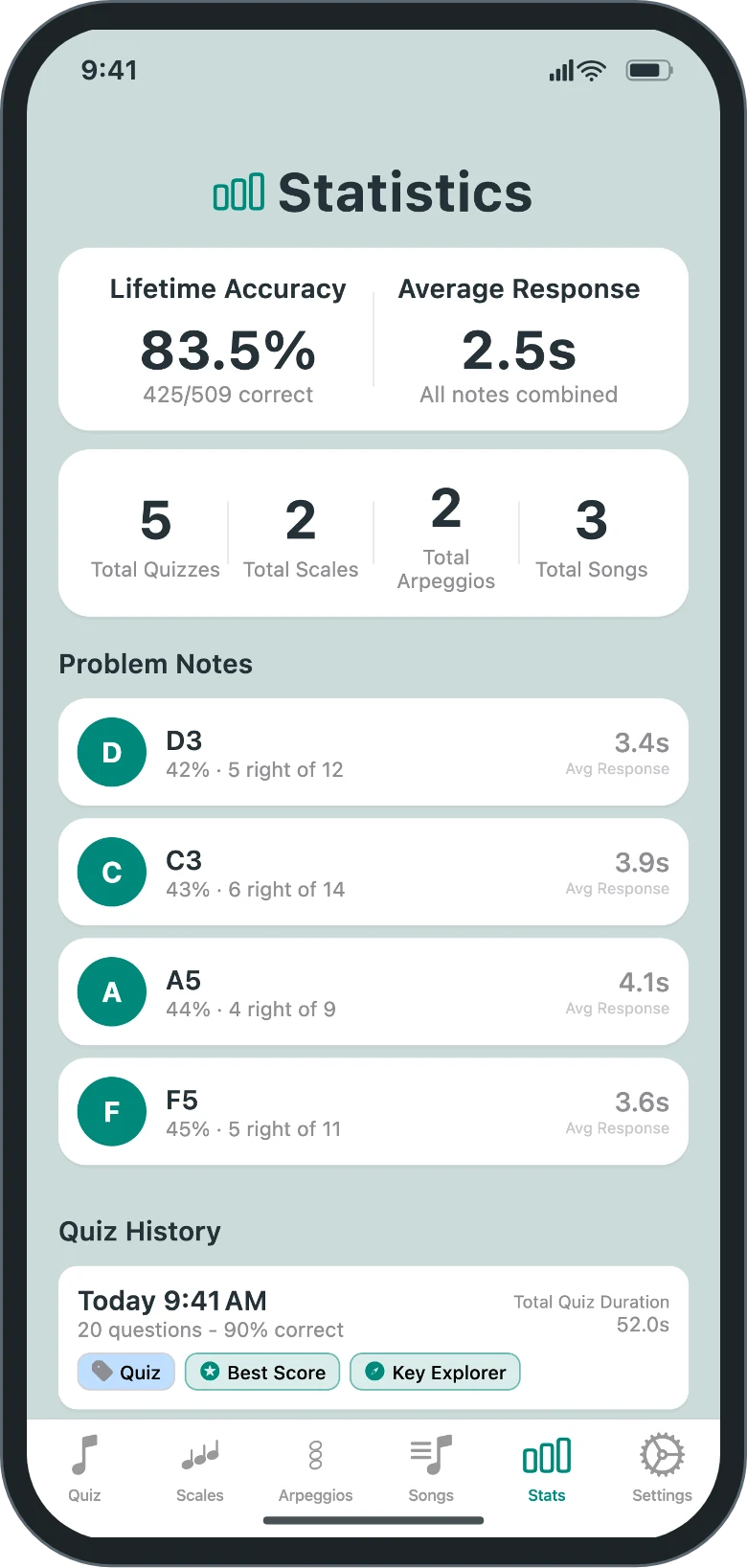
See which notes you miss
- Accuracy and average response time across everything you've practiced.
- A list of problem notes, which quizzes then bring up more often.
- A history of every quiz, scale, arpeggio, and song.
- Badges for milestones such as a perfect quiz, a seven-day streak, or a quiz in all four clefs.
- On iPhone, iPad, and Mac, history, stats, and settings sync through iCloud.
Privacy
No account, no ads, no tracking
Nothing to sign up for
The app never asks for a name or an email address, and it contains no advertising or analytics.
Your playing stays on your device
Microphone audio is analyzed in memory to find the pitch and is never sent anywhere. Nothing is recorded unless you turn on recordings of Play in Time runs, and those stay on your device.
We don't save your PDFs
PDF Import sends the PDF you choose to our server to be converted, and the file is deleted within minutes. The privacy policy has more details.
Pricing
One-time purchase, with free trial
Free for 7 days
Quizzes, scales, arpeggios, MIDI songs, and stats all work from the first launch. No payment details are needed to start.
$9.99 one-time unlock
A single in-app purchase keeps the app working after the trial. It isn't a subscription, and it includes MIDI song import.
$4.99 a month, PDF Import add-on
An optional monthly subscription for people who want to practice from sheet music PDFs. Subscription fees cover our server costs.
- Up to 200 pages a month.
- Reads one note at a time. No chords or two-staff piano music.
- Files of up to 30 pages and 25 MB.
- Requires the one-time unlock first.
- Cancel any time in your App Store or Google Play account.
Prices are in US dollars. The App Store and Google Play show the price in your currency. See the terms of service.
Why it exists
Built by a cellist who wanted one practice session instead of two
I've been a cello player for over 10 years. As a student learning to read sheet music, I stumbled through the notes while also stumbling through intonation, trying to line my fingers up to tape on the fingerboard, only to be told by my teacher that I had to "use my ears instead," before I was even confident reading.
I hated practicing sight reading separately from practicing intonation, so I built a tool that does both at once. The apps I'd tried made me jump huge distances between notes. ClefMastery keeps notes together in a logical order, moves gradually around the full range, and focuses on the notes you miss most. It listens to you play, so you tune your intonation while you learn to read.
Questions
Before you download
Do I need an instrument to use it?
No. Quizzes can be answered with note-name buttons alone. Scales, arpeggios, and songs need an instrument or your voice.
Which devices does it run on?
iPhone, iPad, and Mac from the App Store, and Android phones and tablets from Google Play.
Do I need to buy it again for each device?
No, as long as your devices use the same store. One App Store purchase unlocks ClefMastery on your iPhone, iPad, and Mac when they're signed in to the same Apple Account, and one Google Play purchase covers your Android devices on the same Google account. If you use both Apple and Android devices, you'd buy it once in each store, because the two stores don't share purchases.
How well does pitch detection work?
It works best close to the microphone in a quiet room. You can widen or narrow the pitch tolerance and change how long a note must sound before it counts. For a transposing instrument, choose its preset or set the transposition so the app shows written pitch. Check our Support page for tips to improve recognition.
How accurate is PDF Import?
It reads clean, printed scores best. Scans and photographs are harder, and any score can come back with misread notes, rhythms, clefs, or key signatures. That's why every import opens a preview where you can correct the clef, key signature, and time signature before you play.
My music has chords and several parts. What happens to them?
You choose one part, and the app keeps a single line from it. That line is the highest note wherever several sound together. Music written on two staves, such as piano, is practiced one line at a time. When each hand has its own track you pick one of them, and when both hands share a track the line follows the top notes. Notes outside your instrument's range are left out, and the song's page lists what was changed. PDF Import works the same way: it keeps the top note of each chord and, for two-staff music such as piano, only the top staff.
Can I use it with a student or in a classroom?
Yes. There are no accounts, so each device keeps its own settings, history, and stats.
Get ClefMastery
Free for 7 days on every platform.
- iPhone, iPad, and Mac
- Android phones and tablets